MOCK v4 — app-first rewrite (12 Aug), not live, not linked, noindex. The page order is now: phone gets the food in → Trepo understands the kitchen → the device is optional.
Sold out Batches 1–4 are gone. New orders ship in 2–3 weeks. Preorder →
Free app · optional device

Make more of the food you already have.

Trepo keeps track of what's in your kitchen, helps you cook with what you have, and makes it easier to buy only what you need.

your kitchen, finally working together

Free on iPhone Android waitlist open Works for the whole household

What Trepo does

Your food shouldn't disappear the moment you bring it home.

Trepo helps you keep track of what's in your kitchen and makes that information useful every day.

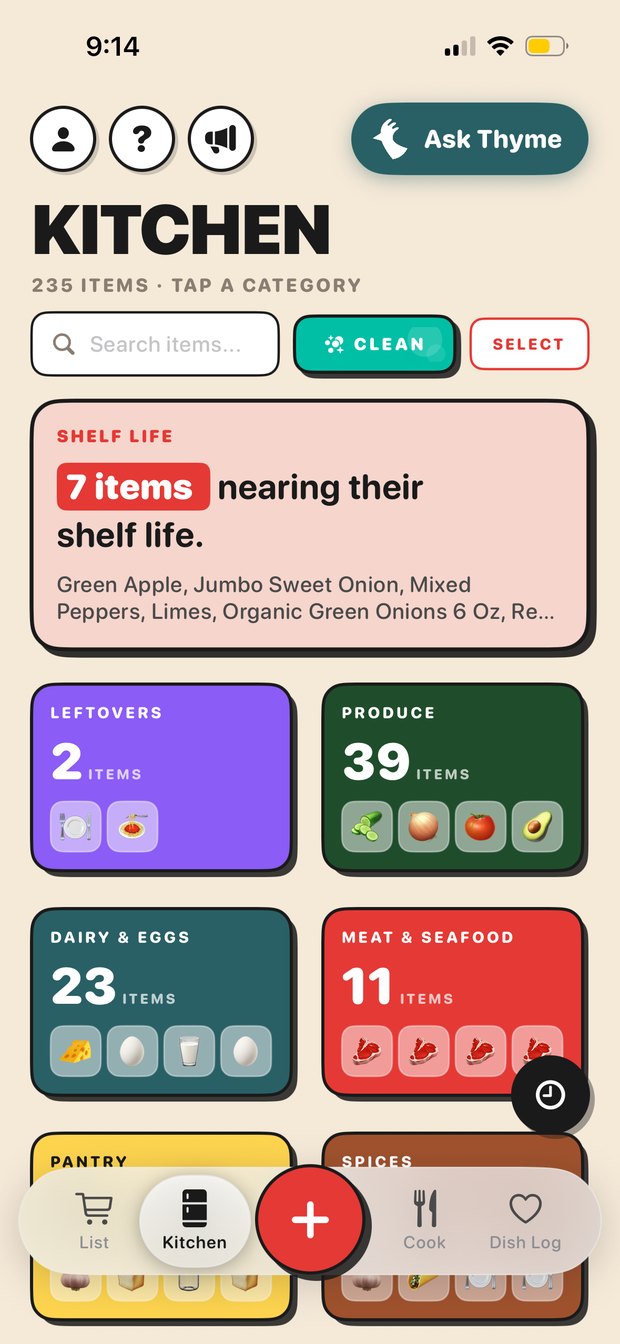
The Trepo kitchen screen, showing every category and item in the house

Know what you have

Keep track of groceries, ingredients, and leftovers without digging through the fridge or pantry.

AssetPlaceholder — real screenshot standing in. Final: short loop of the kitchen list filling in, categories counting up.
Recipes in Trepo, matched against the food already in the kitchen

Cook with what you have

Get recipes and meal ideas based on the food that's already in your kitchen.

AssetPlaceholder — real screenshot standing in. Final: loop of a recipe resolving to "7/8 ingredients — you have these".
The shared Trepo grocery list, grouped by store

Buy what you need

Build a smarter grocery list so you can restock what's missing without buying what you already own.

AssetPlaceholder — real screenshot standing in. Final: loop of an item being checked off in-store and clearing for the household.
Getting started

Add your kitchen with a photo.

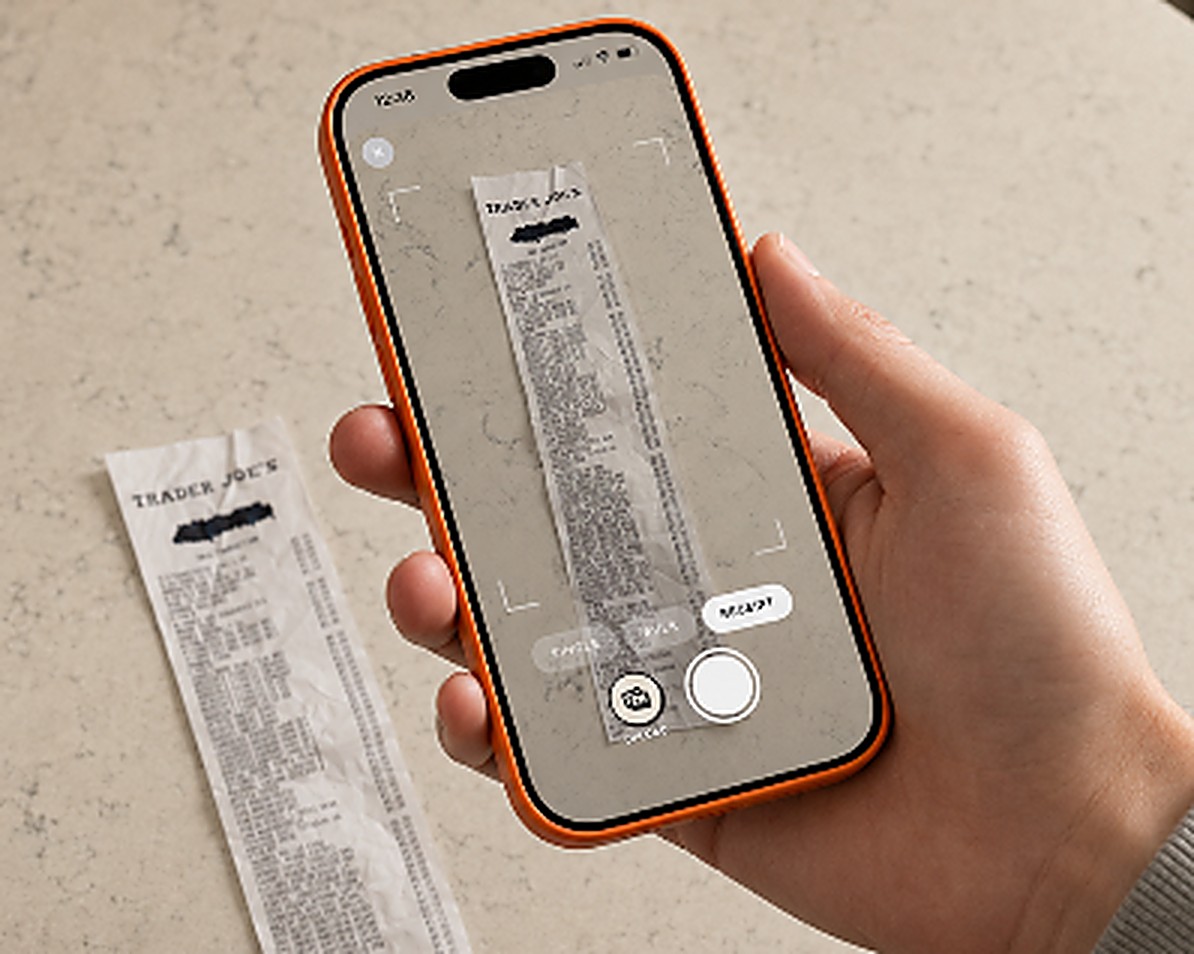
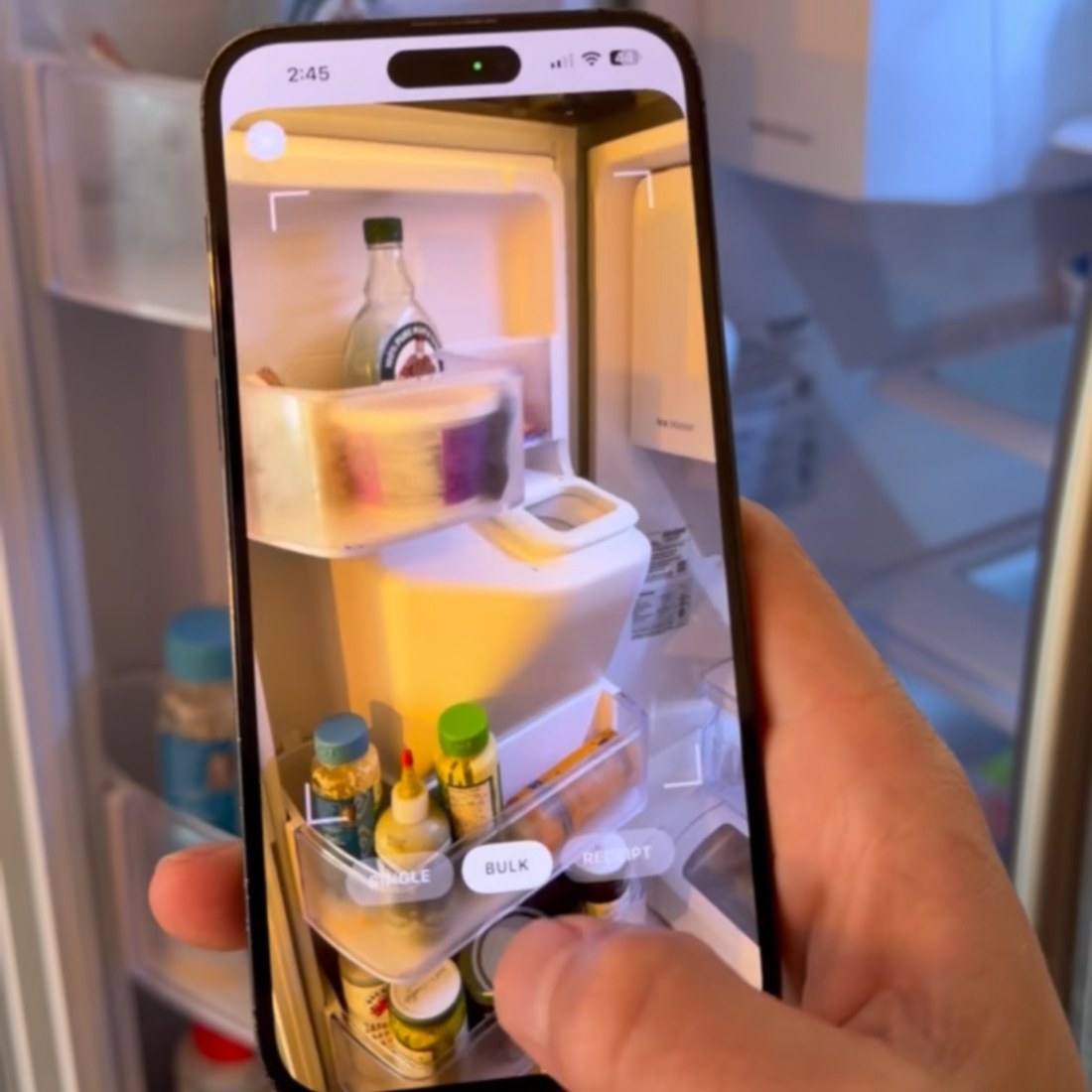
Take a photo of your grocery receipt or your fridge with your phone. Trepo recognizes the food you have and adds it to your kitchen — without entering every item yourself.

  • 1
    Snap your receipt Take a photo after shopping to add your groceries all at once.
  • 2
    Scan your fridge Getting started with what you already have? Take a photo of your fridge and Trepo will help identify what's inside.
  • 3
    Keep it up to date From there, add or remove items with your voice, check in leftovers, or make quick updates from your phone.

A few photos to get started. Simple updates from there.

Asset needed — key onboarding shot Phone photographing a grocery receipt on the counter Held in hand, receipt on a real worktop, app capture frame visible. Landscape 5:4. This is the image that has to make "one photo, whole shop" obvious at a glance.
Asset needed Open fridge, photographed through the app 1:1, items being identified on screen.
Asset needed Receipt → kitchen, the result 1:1, the items landing in the kitchen list straight after the capture.
Meet the optional device

A hands-free way to use Trepo in your kitchen.

Everything above happens on your phone, for free. The device is for the moments your phone isn't the right tool — hands full unpacking the shop, hands covered mid-recipe.

Speak it "Put away milk, eggs and a bag of spinach." It goes in. No phone, no typing.
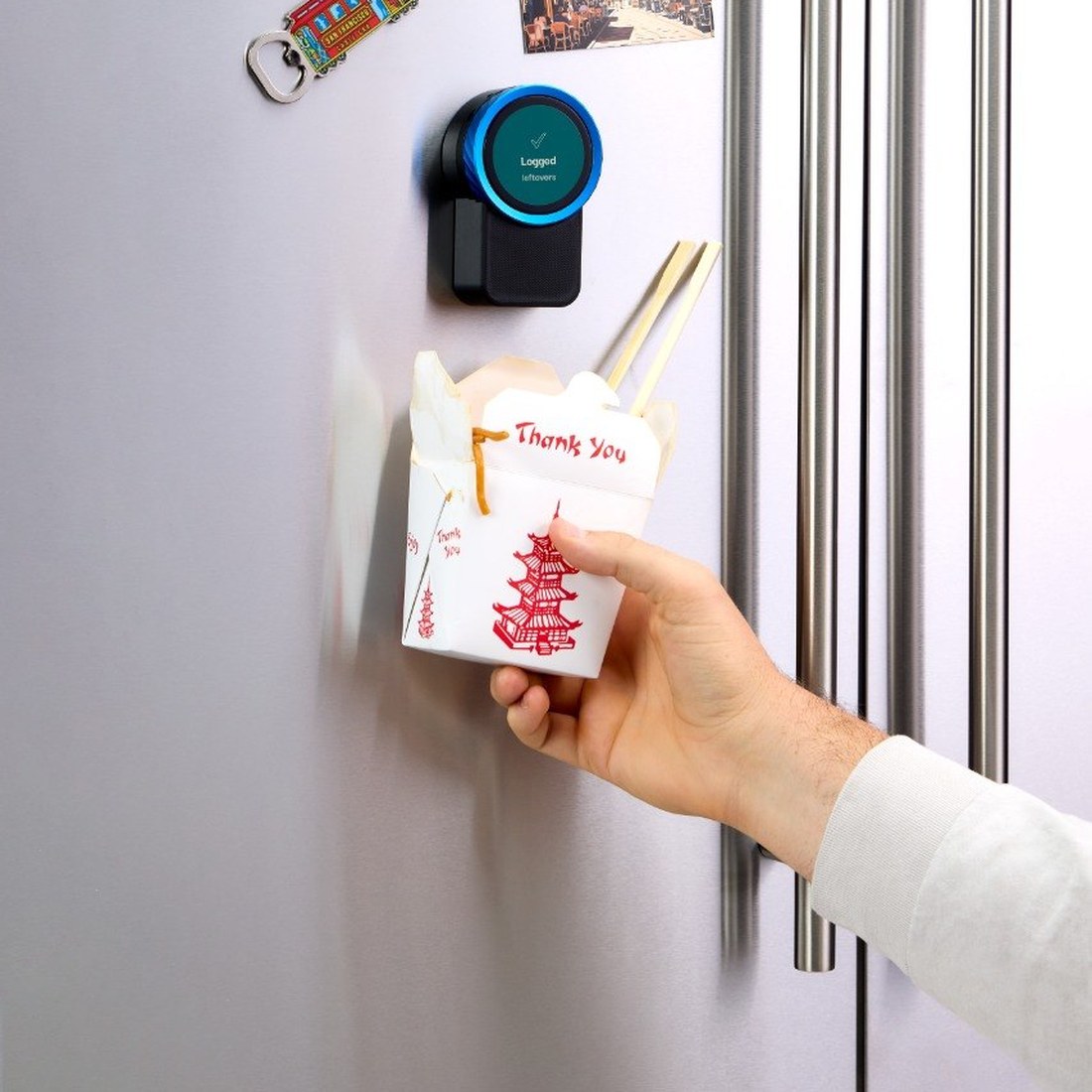
Hold it up Show it an item or a container of leftovers and the camera logs it where it stands.
Turn the knob Step through a recipe with your hands covered in flour. Nothing to wipe off first.
The device, in use

Three motions, all of them at the fridge

The same kitchen you set up on your phone, reachable without picking anything up.

1

Say what you put away

Unpacking the shop is the moment the data exists. Talk while you unload and the whole trip is in before the bags are folded.

2

Hold up what is left

Leftovers, half a block of cheese, the container going back in the fridge. Show it to the device and it knows what is in the house.

Asset needed Hands-on-knob, mid-recipe Close crop: floury hands turning the dial, recipe step visible on the e-paper. This is the shot that sells the hardware and we don't have it.
3

Turn the knob to cook

Recipes advance one step at a time on the display. No screen to unlock, no timeout, nothing to touch with wet hands.

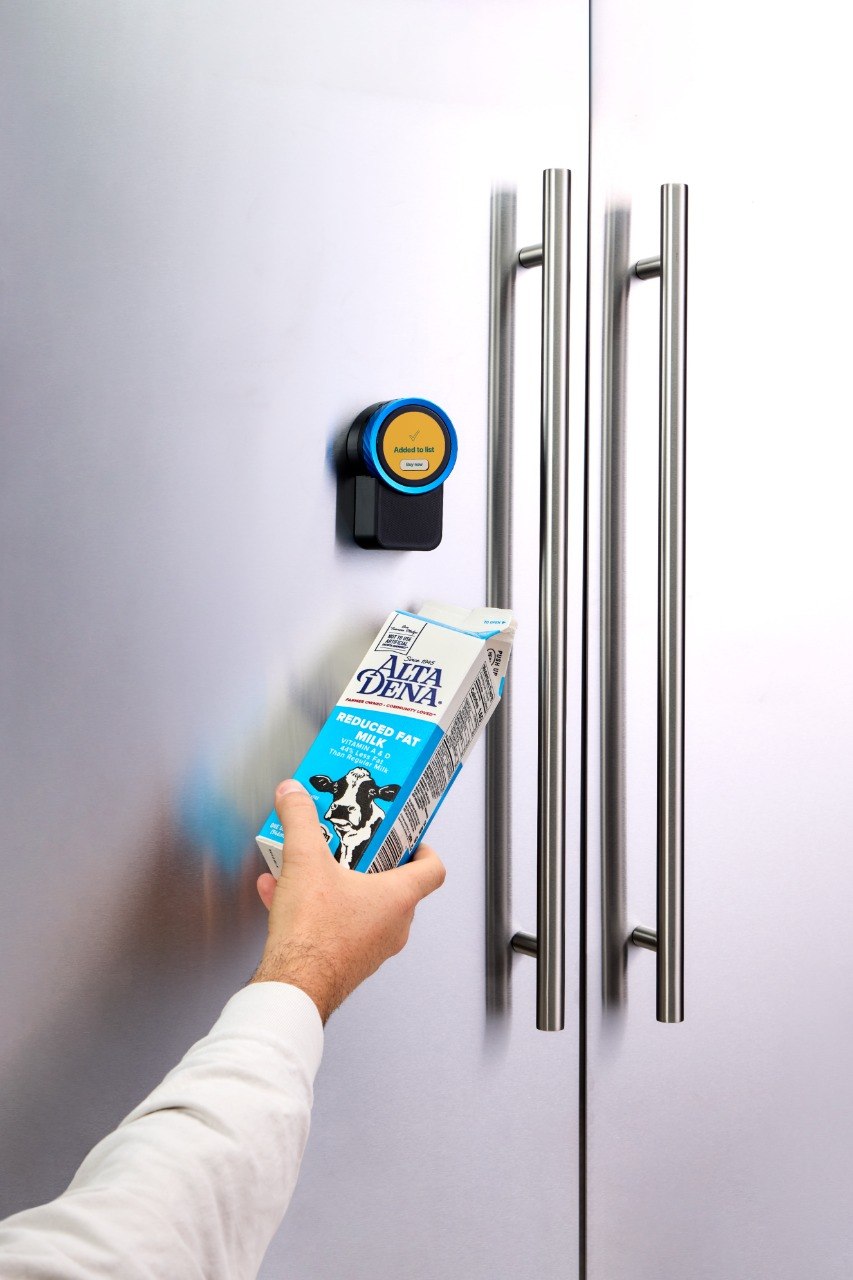
Asset needed — key product shot Trepo on the fridge door, straight on Studio-clean, real kitchen, device mounted at eye height with the display lit. This is the single most important image on the page. Portrait-ish 4:5 or 1:1, shot on the cream background family if we go studio.
The hardware

Built to live on a fridge door

Magnetic mount, a countertop stand in the box, and a display that stays readable across the room. It is on all the time and it does not need charging.

  • MountMagnetic fridge mount + countertop stand included
  • DisplayE-paper — readable in kitchen light, no glare (confirm spec)
  • InputVoice, camera, and a physical knob
  • PowerUSB-C, always on
  • ConnectivityWi-Fi, syncs to every phone in the house
  • In the boxDevice, countertop stand, USB-C cable, mount
The Trepo device mounted on a fridge door
On the fridgeMagnetic mount, no tools
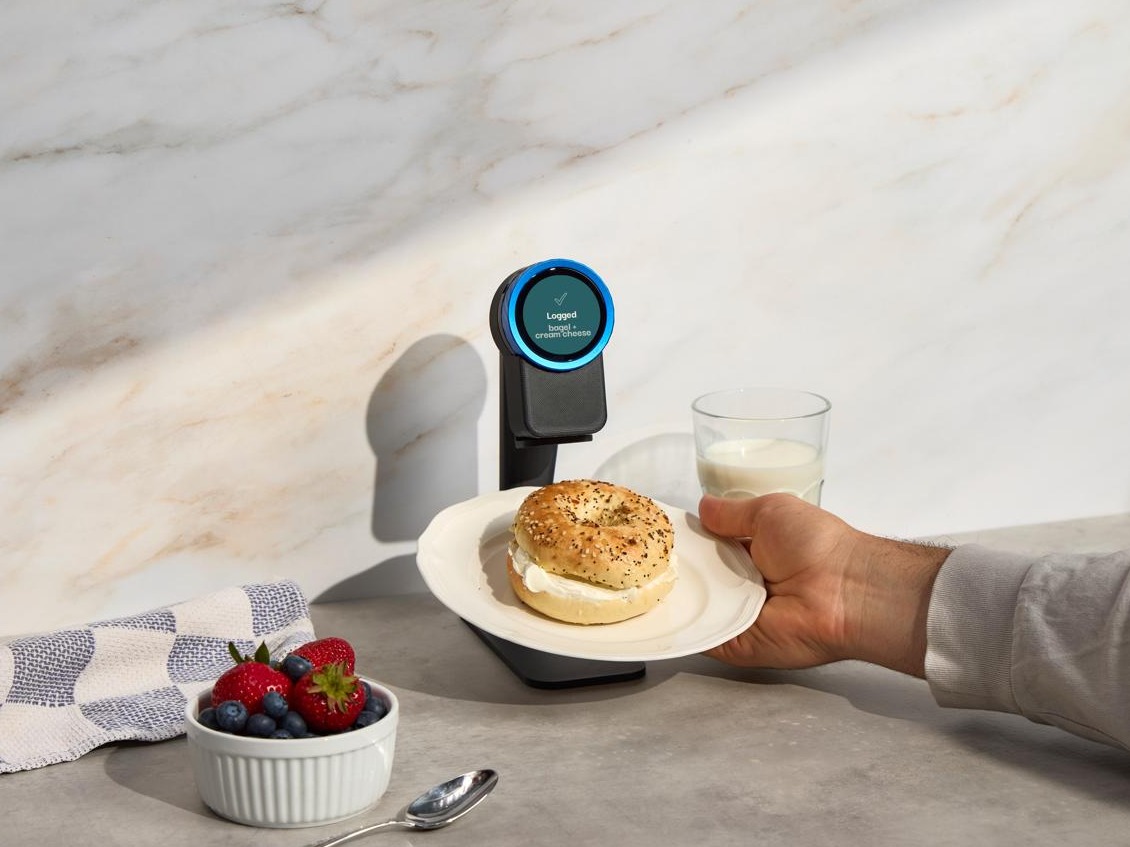
The Trepo device on its countertop stand
On the counterStand included in the box
Asset needed The knob, close up Macro detail shot, 1:1
The knobCook without touching a screen
Asset needed What's in the box Flat-lay: device, stand, cable, mount. 1:1
In the boxEverything you need on day one
What you actually get

One kitchen. Always current. Wherever you are.

Trepo keeps a living picture of the food in your house — what you have, what it can make, and what you still need — and keeps it true for everyone under your roof.

  • Know what is in the house without opening a single door.
  • One list the whole household shares — check something off and it clears for everybody.
  • An answer to dinner built out of what you already own.
  • A whole shop captured in one go, at home or in the aisle.

buy what you need, eat what you buy

Included with every order. Available on iPhone today — join the Android list at hellotrepo.com/android-signup.

Asset needed Device and phone, side by side The device on the counter with a phone propped next to it, both screens lit and showing the same kitchen. Landscape 5:4. Until we shoot it, the phone beside this block is the real screenshot.
The same kitchen, on a phone
Owners

What people say once it is on the fridge

Notes from households running Trepo day to day. Anonymised.

★★★★★

The list building itself is the thing. I used to write groceries on my hand. Now I just tap it when the jar's empty.

Beta household · 4 months in
★★★★★

My partner actually uses it, which is more than I can say for every kitchen app I've made us try.

Beta household · 2 months in
★★★★★

Scanning the receipt after a Costco run and having the whole trip show up is a little bit magic.

Beta household · 3 months in
Questions

Before you order

Do I need the device?
No. Trepo is a free app and it works on its own — photograph a receipt or your fridge, and your kitchen, recipes and grocery list all run from your phone. The device is an add-on for people who want to log and cook without picking a phone up.
How does food get into Trepo?
A photo. Snap your receipt after a shop and the whole trip goes in at once, or photograph the inside of your fridge to get started with what you already own. After that, quick updates from your phone — or by voice, if you have the device.
Where does the device go in my kitchen?
On the fridge door, using the magnetic mount. If your fridge is panelled or you would rather it sat by the hob, there is a countertop stand in the box. It runs on USB-C and stays on.
Do I have to keep it perfectly up to date?
No, and nobody does. Trepo is built to stay useful when it is roughly right. Putting things away does most of the work on the way in, and a word marks something finished on the way out.
Can the whole household use it?
Yes. One device, one kitchen, one grocery list, live on everyone's phone. When someone checks an item off in the store, it disappears for everyone else.
What does the app cost?
Nothing. It is free on iPhone today; the Android waitlist is open at hellotrepo.com/android-signup and we will email you the day it is ready.
When would mine ship?
Batches 1 through 4 are sold out. Orders placed now are estimated to ship in two to three weeks, and you will get a tracking email when yours goes out. Free shipping, 30-day returns, one-year warranty.
Free shipping 30-day returns 1-year warranty Works for the whole household

Start free. Add the device when you want it.

The app is free on iPhone. The device is $99 and comes with the magnetic mount, the countertop stand and the cable.

$99$129

Free shipping · 30-day returns · 1-year warranty · Ships in 2–3 weeks

Preorder $99 Get Trepo Free